Local
11 appsYour GPU, your files, your keys. No account to open one, nothing metered per use, and nothing stops working when a subscription does.
Gemini versions of these apps →Code review · security Portable build
Codecaine
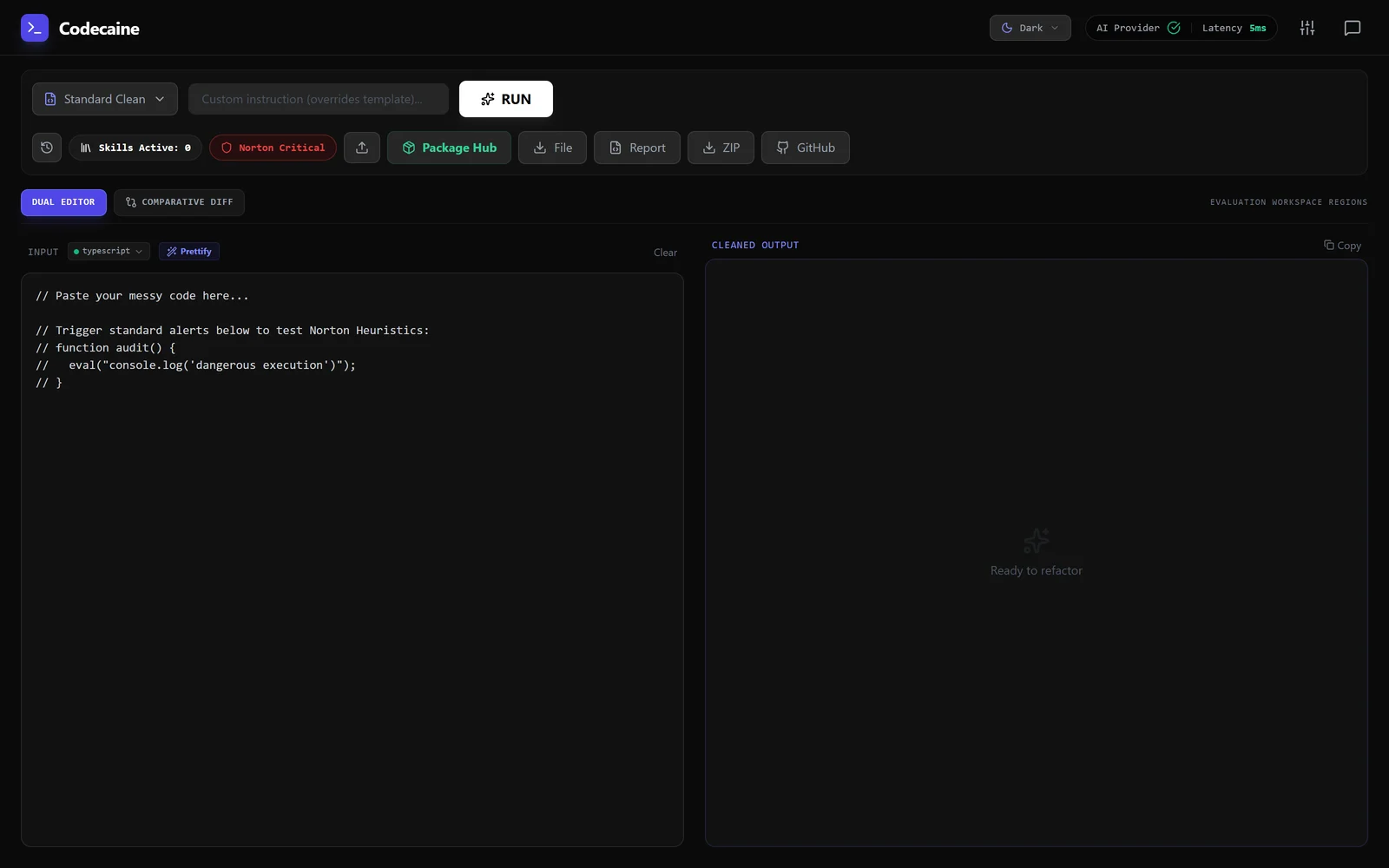
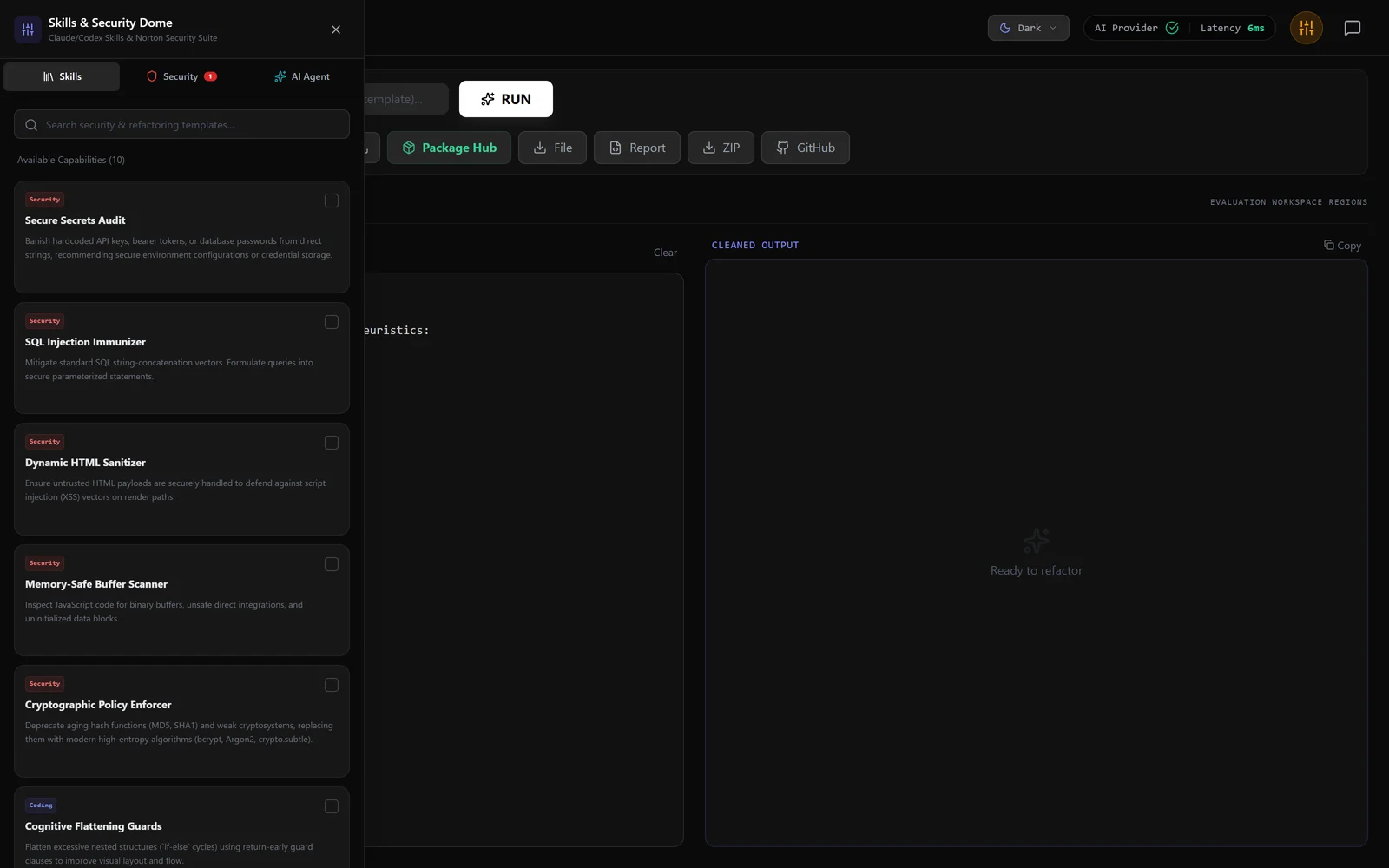
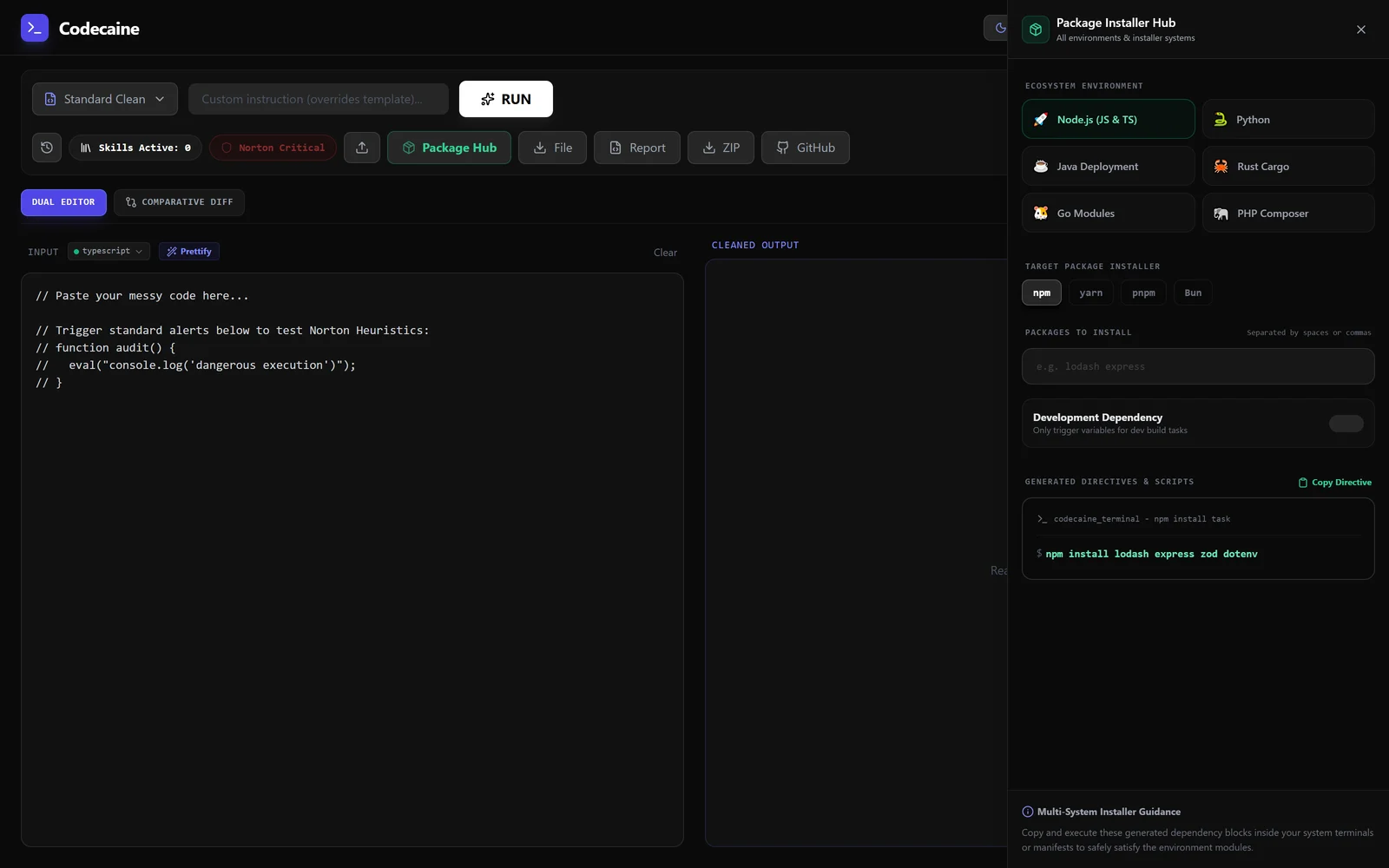
A code reviewer that argues with itself before it touches your code.
Paste, upload or pull a repo, pick a template, and read the cleaned result beside the original or as a diff. What makes it different from a linter is the two layers around the model: a heuristic shield that reads the code before anything is sent, and a skill library you compose per run.
- Skills & Security Dome — ten capabilities toggled per run, each with the bad pattern and the fixed one side by side
- Norton heuristic shield — five local rules that match before a request leaves the machine
- Package Installer Hub — six ecosystems, four Node installers, copyable install directives
- Quality analytics — maintainability, complexity, security and readability, scored per run
- Version history, ZIP and GitHub ingest, exportable report
Local version in progress. The Gemini build is live now as Codecaine Gemini.
Brand · design · motion Portable build
CCO Studio
The local build is not captured yet. The Gemini build is CCO Studio Gemini.
A creative department in one window.
The largest of the three. Logo, image, product and material studios sit under one workspace with a shared brand kit, an idea lab that cross-checks concepts for copyright collisions, and a motion prompt index for video. Thirty-plus curated design skills are pulled from GitHub and verified by AST before they run.
- Design Studios — logo, image, product and materials, one workspace
- Logo Generator — industry context, visual style, divergence sliders, vector editor
- Idea Lab — concept generation with a copyright cross-check pass
- Brand Kit — palettes, type and assets carried across every studio
- Veo & Omni video — looping video synthesis from keyframes or a prompt
- 30+ GitHub design skills, AST-verified before execution
Local version in progress. The Gemini build is CCO Studio Gemini.
Portraits — virtual cinematography Portable build
PortrAIt Studio
The local build is not captured yet. The Gemini build is PortrAIt Studio Gemini.
A neural darkroom: re-render camera angles in 3D, then develop the print.
The third of the set, and the one that leans hardest into a metaphor. PortrAIt Studio treats generation as darkroom work — a crimson safelight, prints pegged to a drying wire, plates staged before they are developed. Underneath it is eight specialised studios over one latent engine: orbital camera moves in true 3D, garment and identity inpainting, dermatology-grade skin detail, scene relighting, and multi-angle storyboards.
- 6-DoF orbital camera — pan, tilt, roll and 18–200mm focal shifts with realistic sensor formats
- Garment and face swap — inpainting with auto-segmentation for wardrobe and donor identity
- Dermatology and freckles — micro-pore acutance, skin hydration and organic freckle density
- Scene Station — recontextualise a subject into neon alleys, brutalist concrete or golden hour
- Multi-angle storyboard — 4-camera rigs and 10-shot sequences with consistent identity
- Look Lab and light rigs — 3-point studio lighting positioned against physical depth maps
- Dev Studio — custom neural categories, preset injectors and reproducible recipe configs
- Vertex AI and Gemini Pro — bring your own Cloud project for zero-rate-limit batch generation
Local version in progress. The Gemini build is PortrAIt Studio Gemini.
Utility · VRAM & RAM Portable build
ComfyRAM Manager
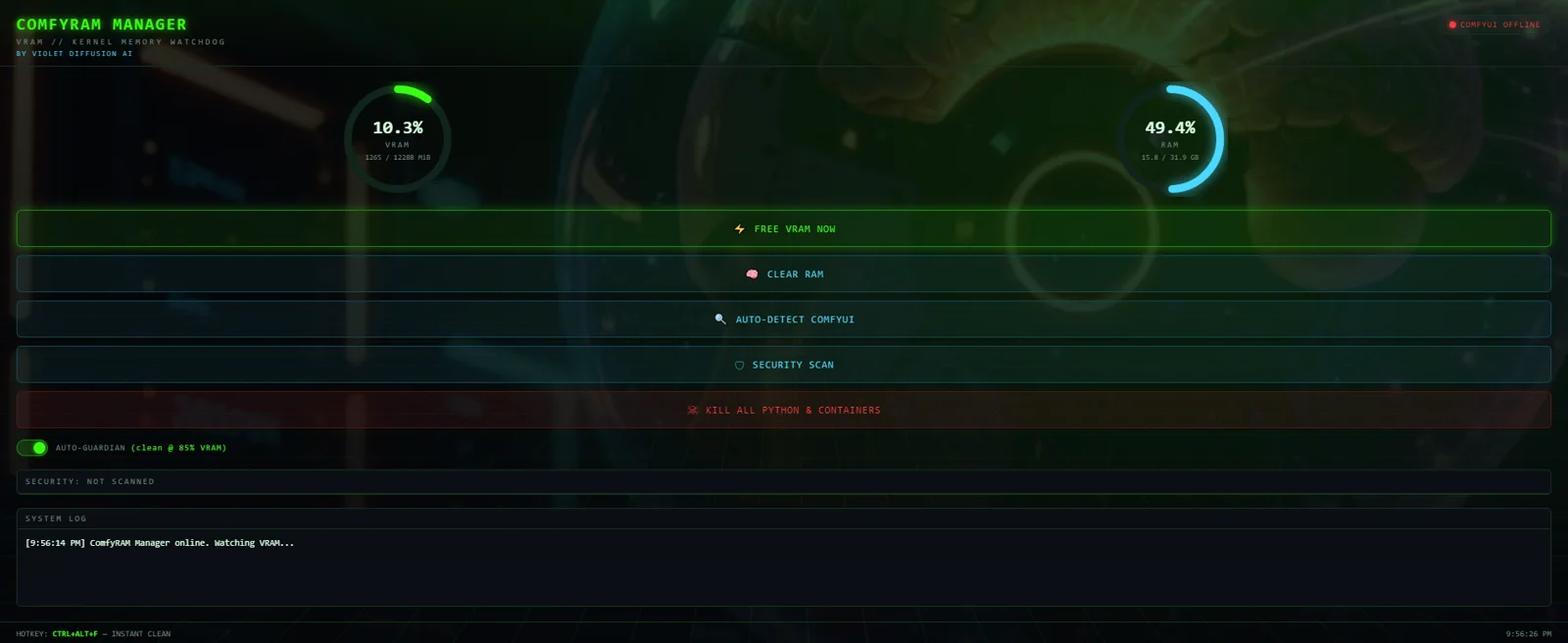
Frees the memory ComfyUI is still holding, before the next run fails.
ComfyUI keeps model weights resident between runs on purpose — reloading ten gigabytes per image would be absurd. The cost is that on a 12 GB card what decides whether the next generation fits is usually what is left over from the last one, and nothing surfaces that. This is a 460x780 panel that does: VRAM, system RAM, and whether ComfyUI is online and on which port, polled every four seconds.
- Auto Guardian — frees automatically when VRAM crosses 85%, with a 15-second cooldown
- Ctrl+Alt+F — a global hotkey that works mid-generation, from any window
- Free — calls ComfyUI's own /free on the detected port, trims process working sets, reloads the ComfyUI tab, and reports VRAM before and after
- Clear RAM — system memory only, file cache and working sets, GPU untouched
- Security Scan — Authenticode-checks suspicious running processes
- Port auto-detect — finds a running ComfyUI rather than asking where it is
Shipped, v1.1.0. Source public on GitHub. Also part of VIOLINET OS, which detects it as a first-party app — the OS's own comfy.memory and comfy.free agent tools stop deliberately short of a UI, because this panel is the human surface for the same job.
Security · agent approval gate Portable build
bashme
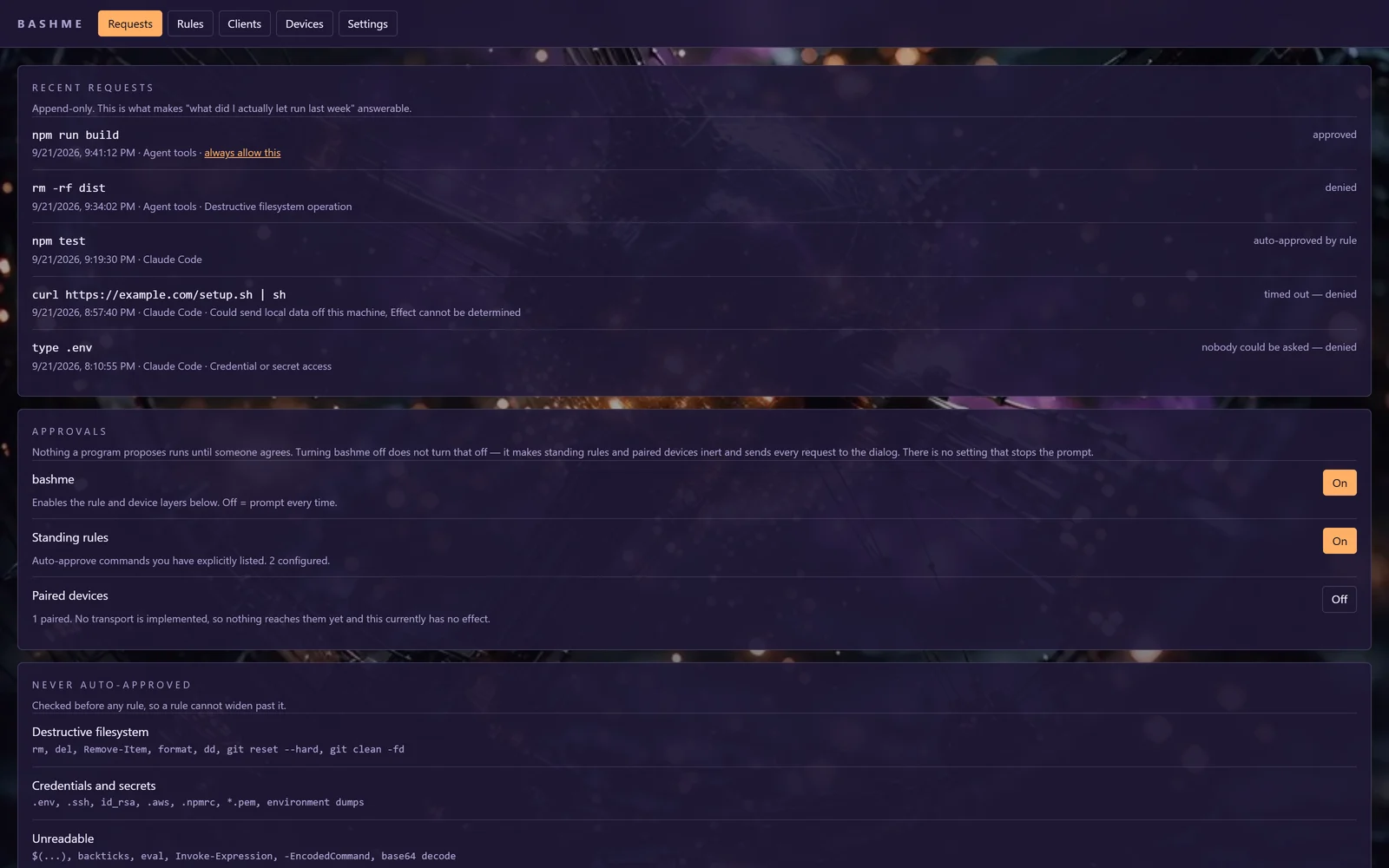
Holds what an agent wants to run until a person agrees.
An agent that can run shell commands is useful exactly to the degree that it is trusted, and trust is hard to give something that acts faster than you can read. bashme takes the command before it runs, works out what it would actually do, and holds it until a person agrees — with standing rules for the routine cases so the gate does not become a thing you click through. Every decision is written to an append-only audit log. It is one codebase with two hosts: a standalone app with its own window and CLI, and a dependency-free core that VIOLINET OS embeds directly.
- Classify before rules — categories no standing rule may ever auto-approve, checked first
- Rules without wildcards — a rule cannot match a chained command, and previews what it would allow as you write it
- Append-only audit — every request, verdict and timeout, on one SQLite handle shared with its host
- HMAC plan/apply tokens — an approval authorises one command, not a session
- Outbound-only device channel — a paired phone may answer, never reach in
- Two hosts, one core — the standalone app and VIOLINET OS run identical decision code
70 core tests green. Live inside VIOLINET OS under System Guard → Approvals, and ships as its own standalone installer with its own window, local IPC surface and CLI. A paired phone can approve over LAN (QR pairing) or over a relay that never opens a port; the relay is deployed but not yet on its own subdomain.
Utility · GPU pairing over LAN or a direct cable Portable build
Violet Pair
A desktop pairing utility, not yet captured.
Send a generation job to whichever GPU in the house is free.
Joins two PCs so a ComfyUI job started on one can run on the other's GPU — over Wi-Fi/LAN (the original, proven way) or a direct Ethernet cable for the fastest link between two machines side by side. Either PC can take either role: This PC, Other PC, or Both.
- Reversible roles — This PC / Other PC / Both, switched from one window
- Wi-Fi/LAN or a direct cable — same app, either transport
- 20 command buttons for connection, addresses and job dispatch
- Proven on the wire — a real generation job run on the paired GPU
Built and packaged (installer and portable EXE). Proven end to end on one PC pair; not yet installed on a second machine.
ComfyUI custom-node pack · 17 nodes Portable build
Solar Violet Nodes
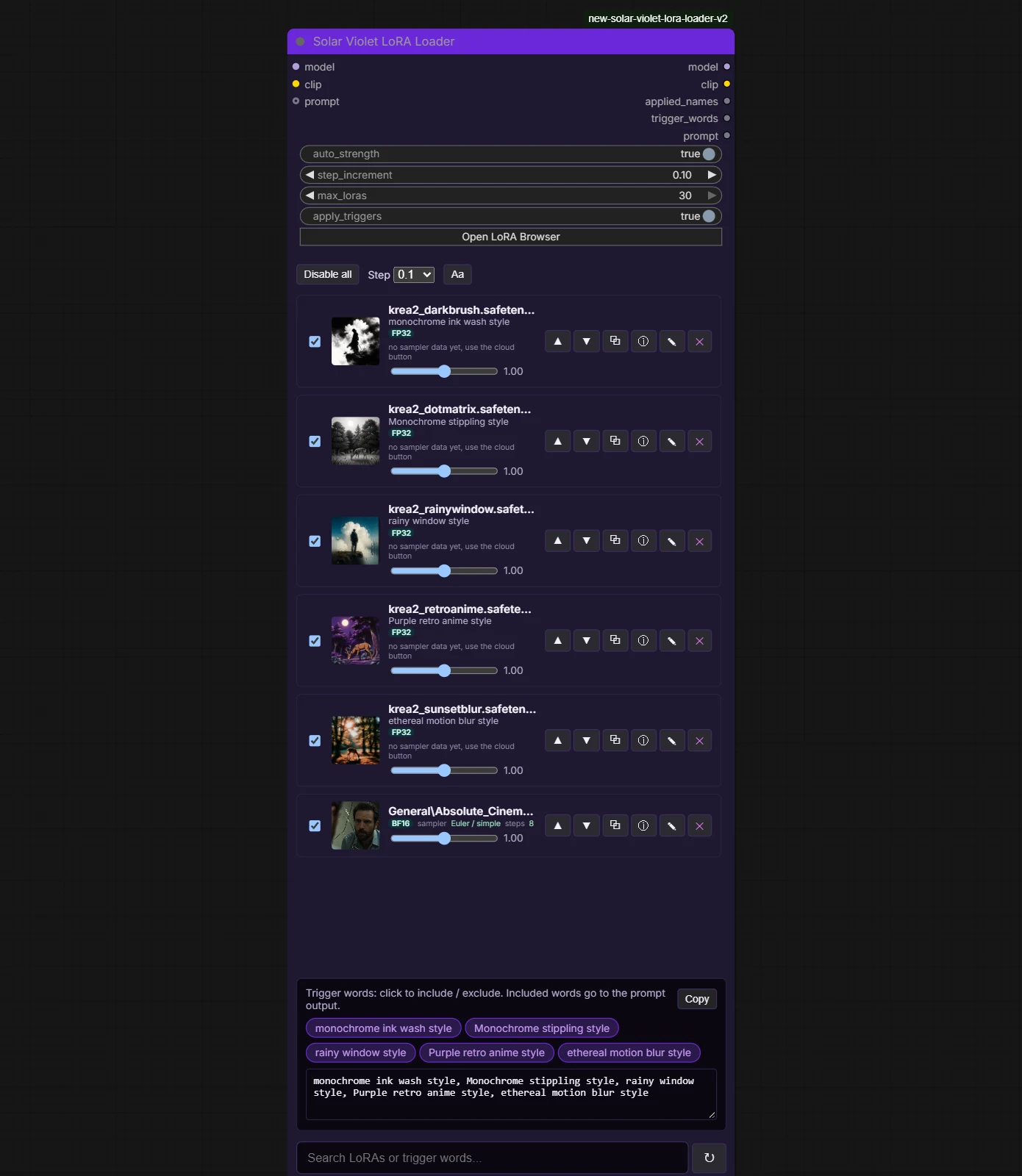
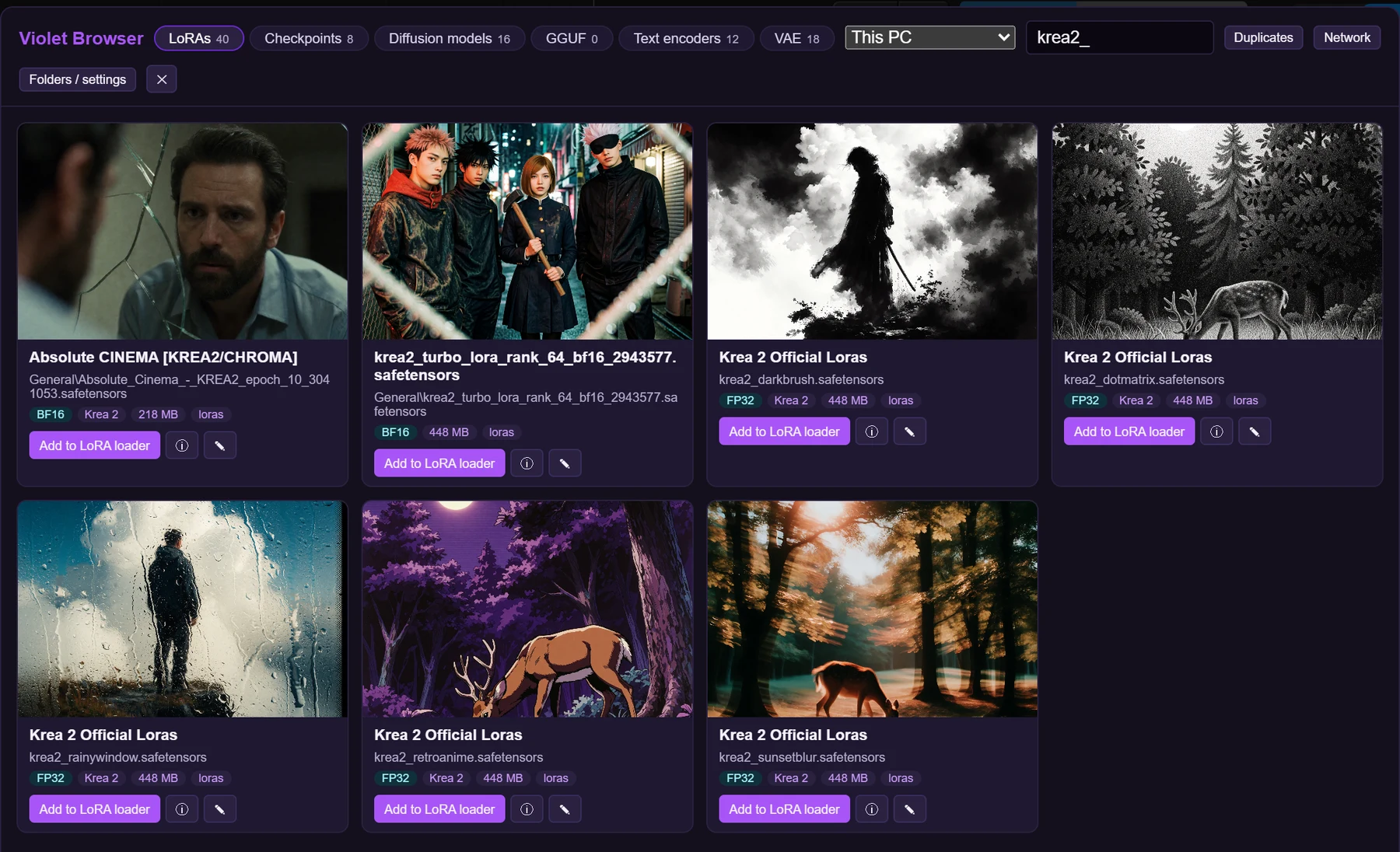
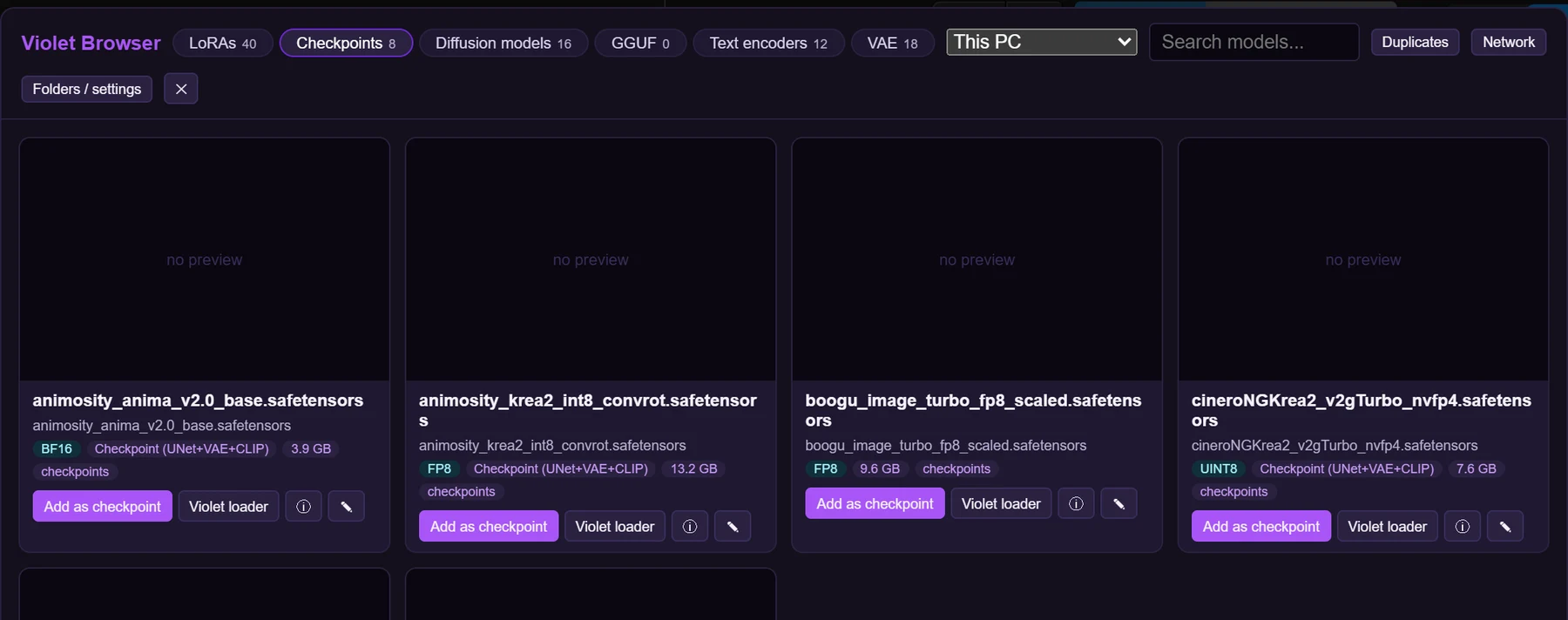
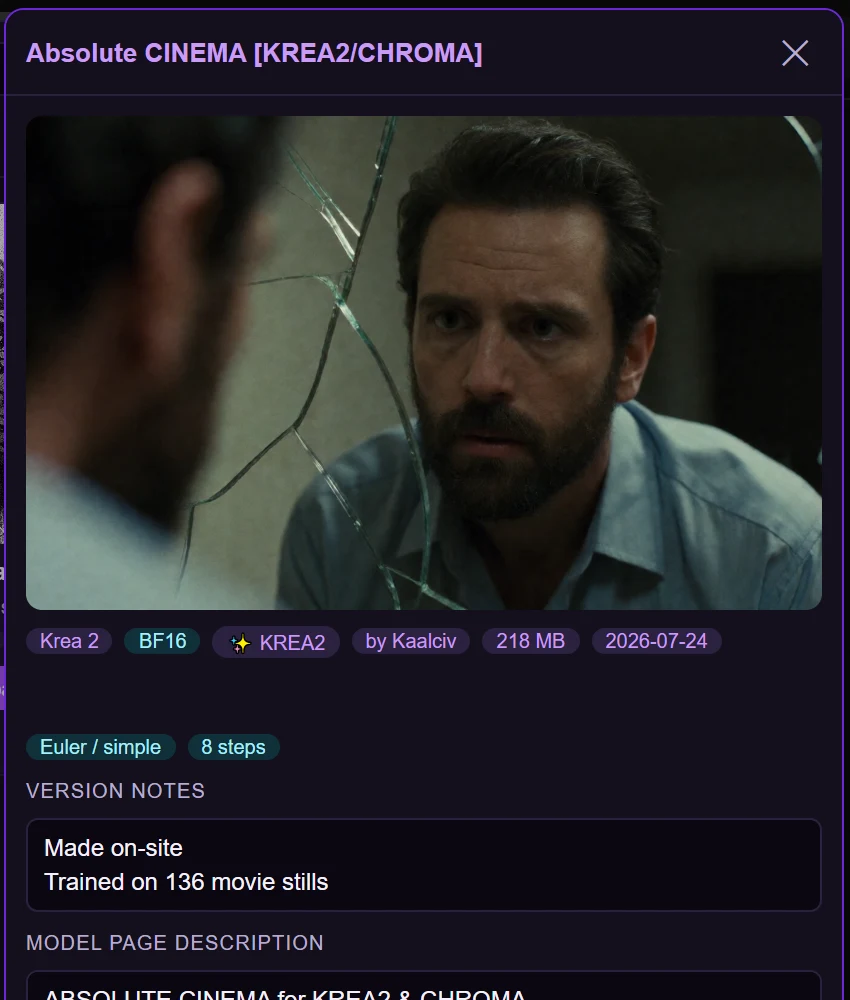
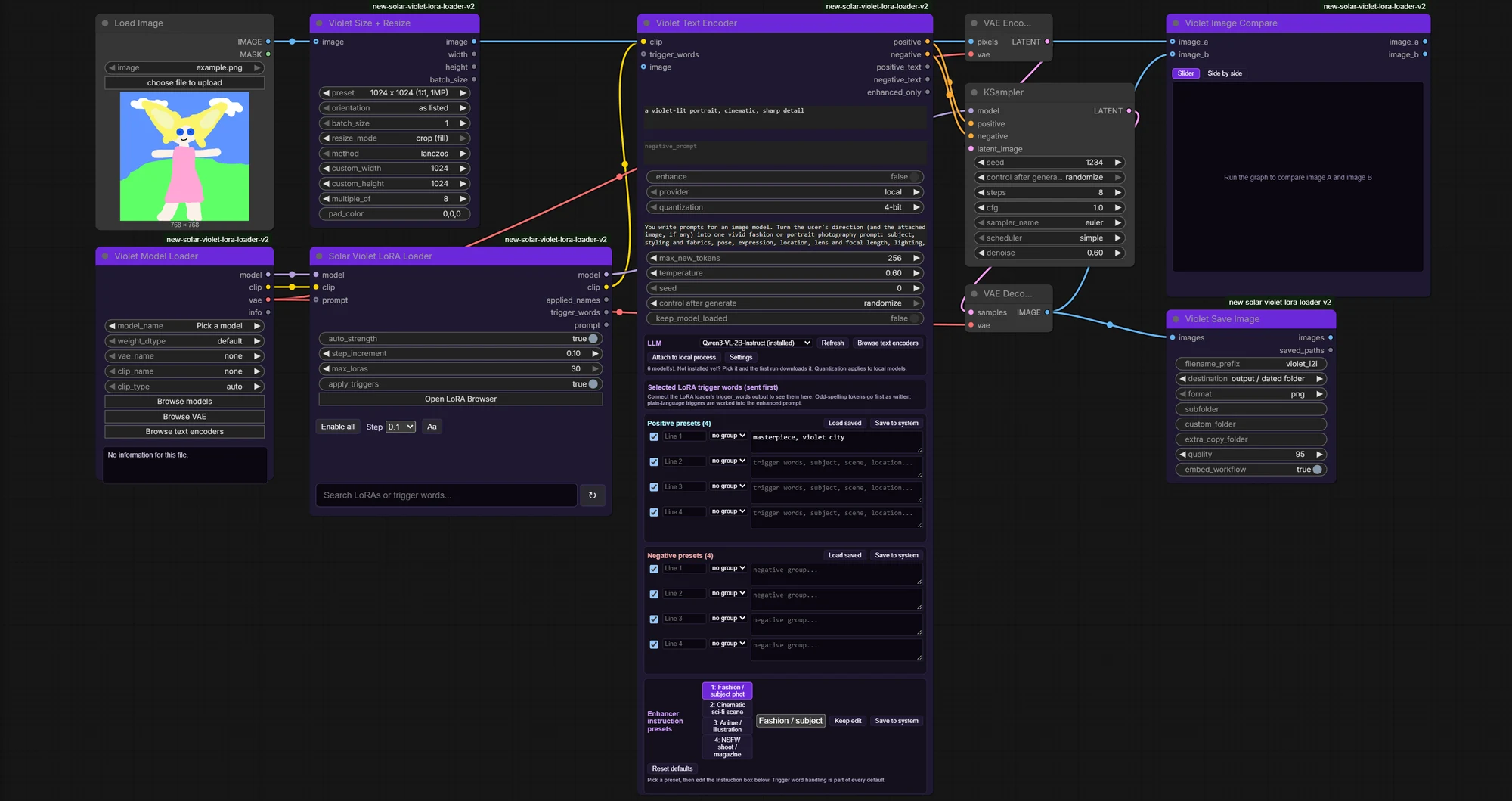
Typed loaders, a LoRA loader that scrolls and grows with your stack, and model browsers that find duplicates in every ComfyUI folder.
One ComfyUI custom-node pack, not a fork of anything: typed checkpoint/diffusion/GGUF loaders instead of one loader with a mode dropdown, a LoRA loader that stacks up to 30 with large preview strips, trigger words wired straight into a two-box text encoder, an LLM-backed prompt enhancer and image describer, and a floating model browser with previews, CivitAI details and a duplicate finder. The latest update makes every ComfyUI model folder (controlnet, clip_vision, upscale_models, ipadapter and the rest) a category of its own, adds extra folder paths for any of them, and brings full duplicate removal to the model browser: tick the suggested files, select a range, then send them to the Recycle Bin, set them aside or delete them, with a guard that never lets you remove every copy. The LoRA loader node is bigger and easier to read, its scroll bar and mouse wheel work, the search and trigger panel are larger, and the node grows as you load more LoRAs. A ready-made image to image workflow, with a low-VRAM version, is bundled in the repo. Built from scratch by Violet Diffusion AI to replace an older pack that could not run alongside anything else because its node class names collided with other packs. This one is organized as one folder with many files by concern, the correct ComfyUI shape, and has none of those collisions.
- Violet Model / Checkpoint / Diffusion / GGUF Loaders: typed, not mode-switched
- Solar Violet LoRA Loader: up to 30 LoRAs as large preview strips with trigger words, per-LoRA strength, a working scroll bar, bigger search, and a node that grows as you add
- Violet Text Encoder: one node for positive/negative, presets, local/LM Studio/OpenCode/OpenRouter LLM enhance
- Violet Model Browser: every ComfyUI model folder as a category, extra folder paths for any of them, CivitAI details
- Duplicate finder: tick suggested, range select, Recycle Bin / set aside / delete, never removes every copy
- Image to image workflow: bundled example (and a low-VRAM version) wired through the Violet loaders, text encoder and image compare
- Network sources: browse another paired computer's models over its own ComfyUI API, nothing to install there
- Solar Prompt Enhancer & Image Describer: LLM-backed, same backend list as the text encoder
Public release 1.0.0 under MIT, in daily use on the author's own ComfyUI installs (Desktop, CLI and a clean GPU-verified test instance). Not yet in the ComfyUI-Manager registry: clone it into custom_nodes, or unpack the release zip there.
Utility · image resizing & conversion Portable build
File SDM
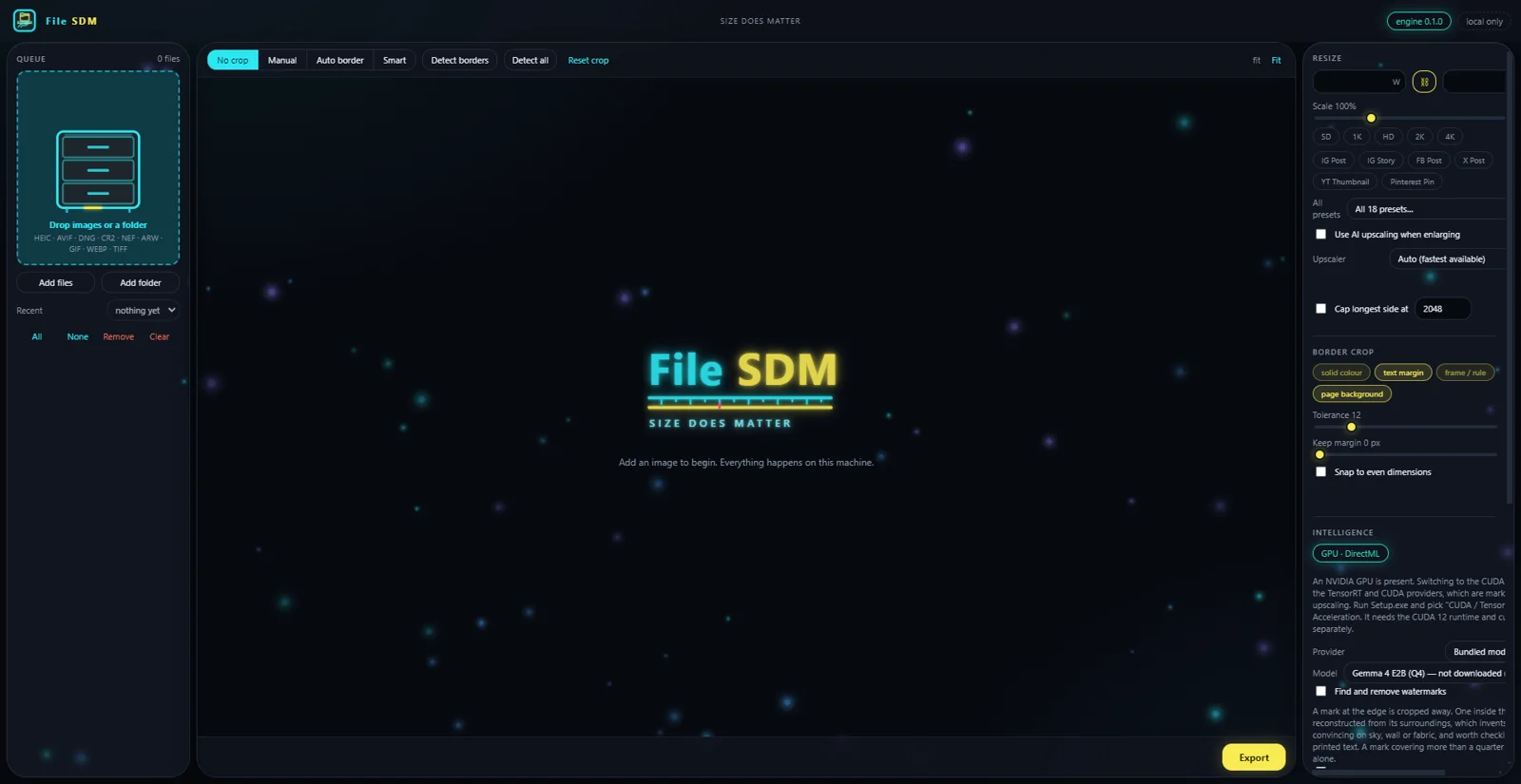
Size does matter. Resize, convert and crop a folder of images without any of them leaving the machine.
A resizer that does the tedious parts properly. It reads what a camera actually produces — RAW from Canon, Nikon and Sony, HEIC from a phone, AVIF, TIFF, animated GIF — finds the scanned border or the page edge and trims it, and writes the result to a size cap you name rather than a quality number you have to guess at. The whole application, including its Python interpreter and every package, installs into one folder you choose: no registry keys, no %APPDATA%, and one antivirus exception instead of six.
- Border detection — finds scan edges, page backgrounds and text margins, not just a solid colour
- Size cap — name a target in MB and it finds the quality that lands under it, resizing only if it must
- Smart crop — optional, local: a vision model arbitrates when geometry alone is ambiguous
- Watermark removal — marks at the edge are cropped away, marks inside the picture are reconstructed
- Upscaling — Real-ESRGAN through whichever accelerator is present: TensorRT, CUDA, DirectML or CPU
- One folder — interpreter, packages, model weights, caches and settings, all inside the install directory
Built, not yet released. Four phases are written and the installer works; it has not processed a real batch end to end, so there is no download to hand anybody yet.
Image generation · full creative suite Portable build
ArtPix AI
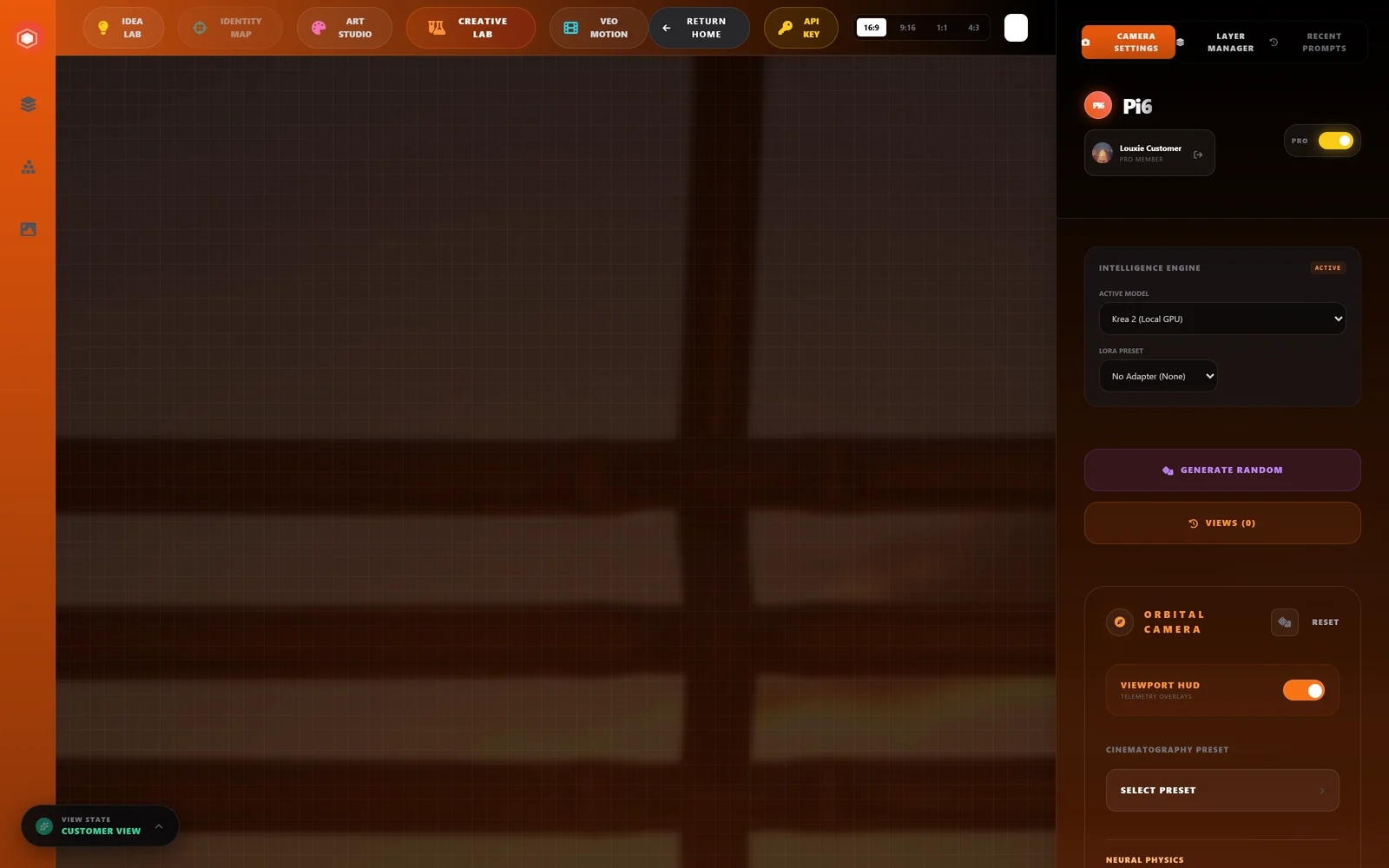
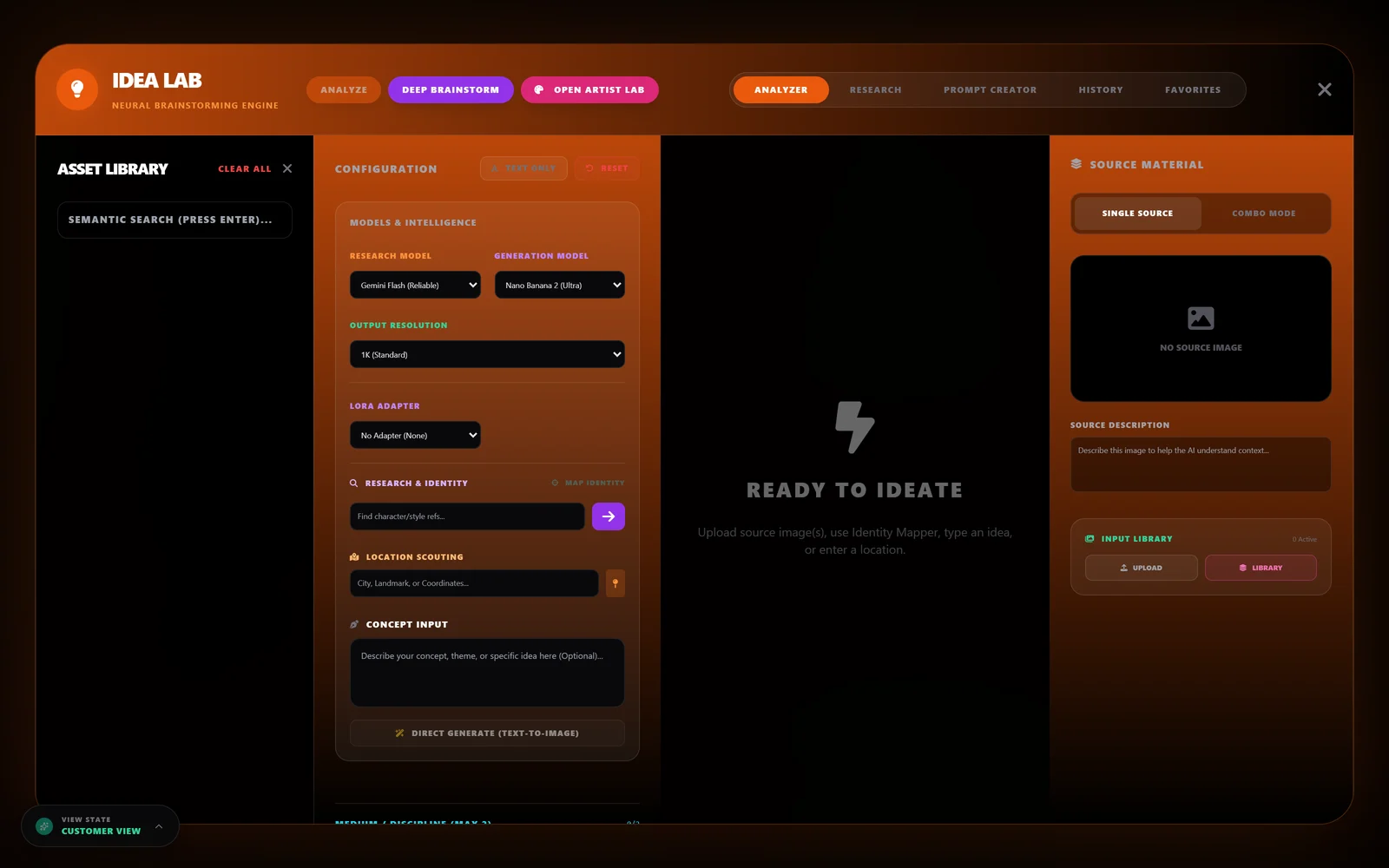
Angles, art styles, depth-map canvas, and an idea lab — one workspace, any model you have.
The most complete studio in the family: multi-camera angle libraries, combining artist styles, a depth-map canvas, collage and graphic labs, an idea lab for concept generation, and video. Runs on your own GPU through ComfyUI (Krea 2, Microsoft Lens, MiniMax H3 video), on NVIDIA NIM's hosted catalogue, or on Fal — Gemini is kept as one optional engine, never the default.
- Angles Library — multi-camera generation from one reference
- Art Studio — combine named artist styles into one direction
- Idea Lab — concept and prompt generation, provider-agnostic
- Collage & Graphic Labs — multi-image composition and templated graphics
- Video Studio — image-to-video with audio (MiniMax H3, local)
- Runs local (ComfyUI), hosted (NVIDIA NIM, Fal), or on Gemini as an optional engine
AI Studio export, de-Googled in place. Local build has no Google dependency at all — verified running with no key configured. The Gemini build is ArtPix AI Gemini.
Photo editing · text & logo repair Portable build
GenFix
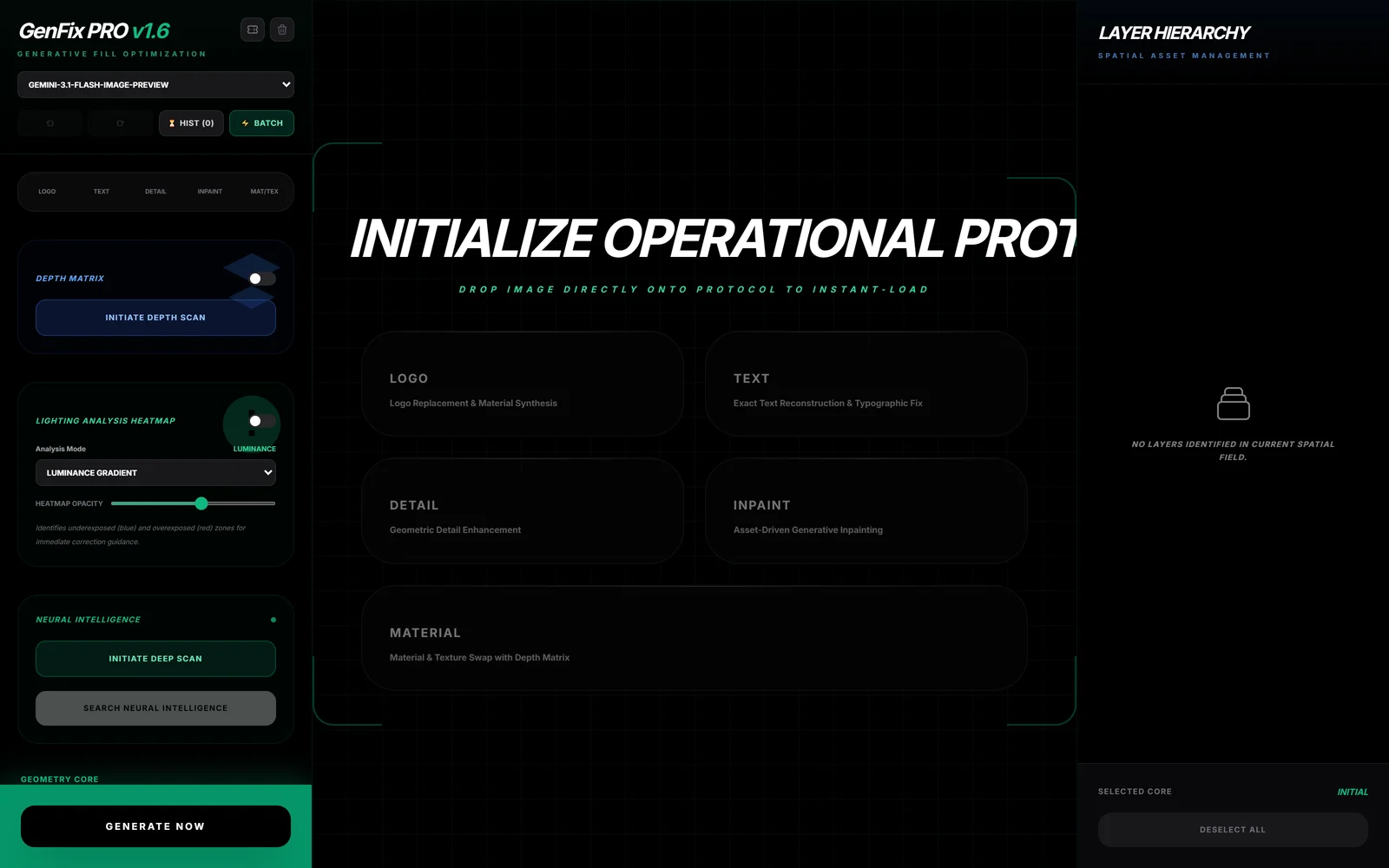
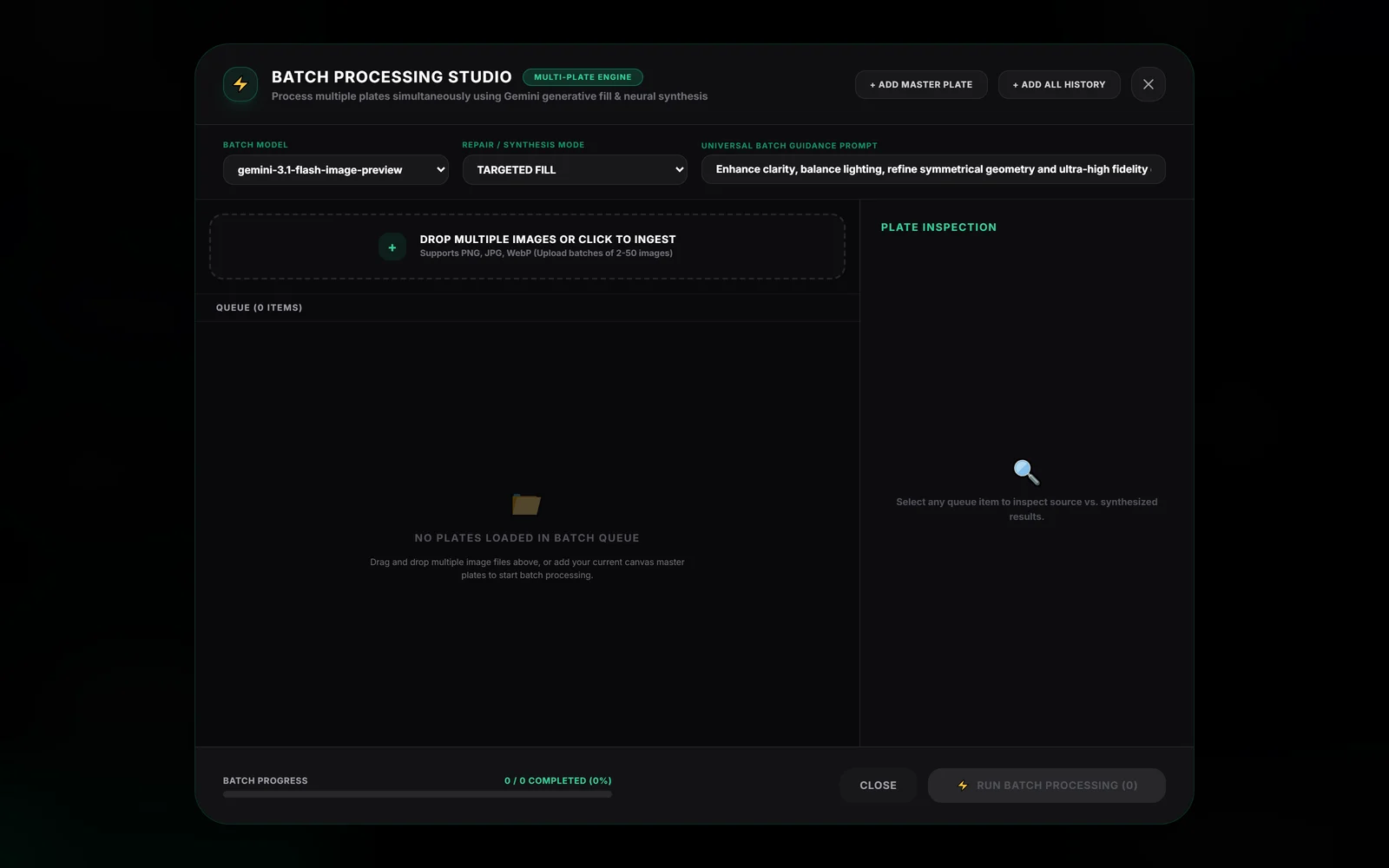
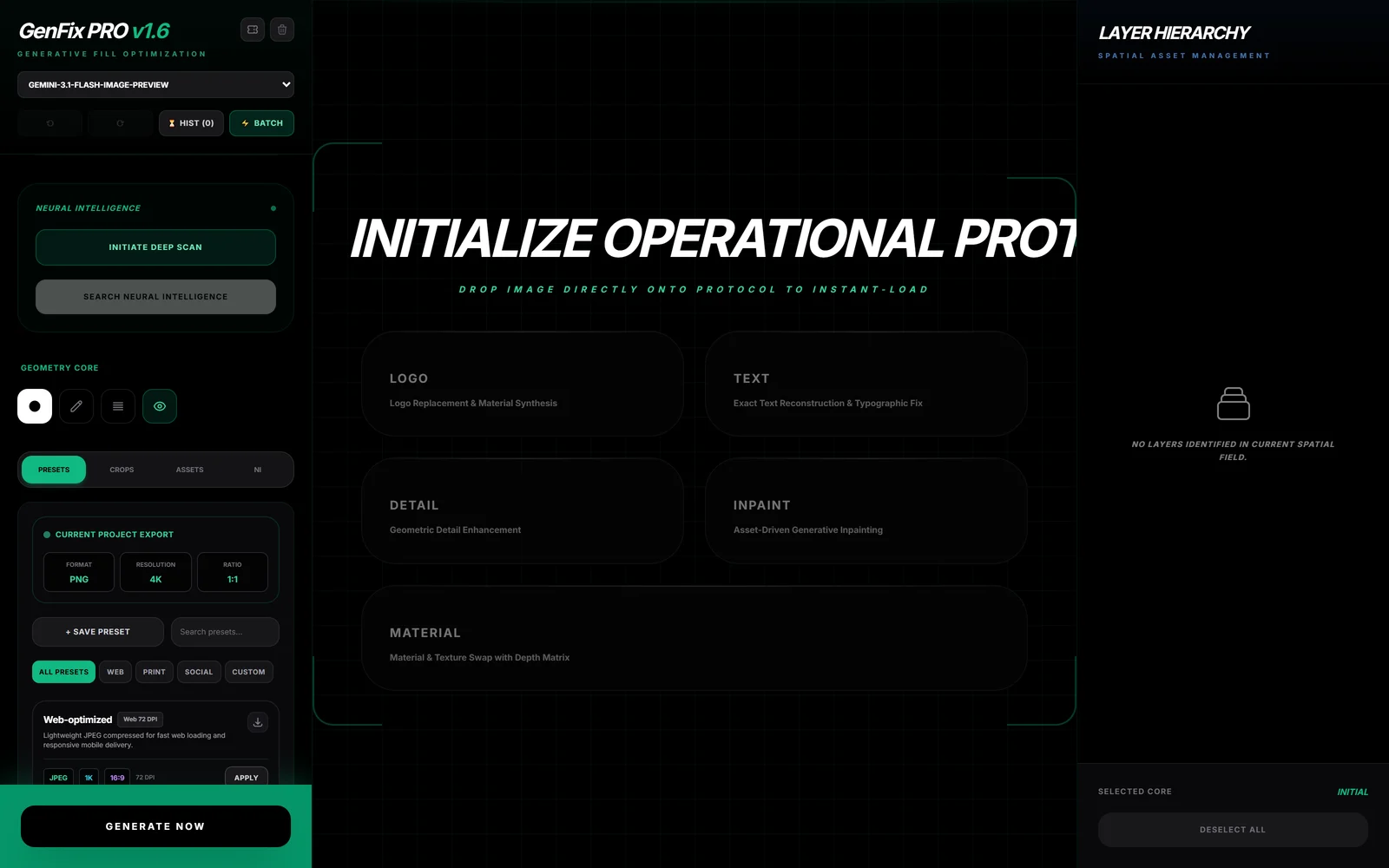
High-fidelity text reconstruction, logo replacement and pattern synthesis.
A photo-editing suite, not a generator: crop with scan-border suggestions, layered composition, ten repair modes (targeted fill, creative manifest, fix typo, replace logo, reconstruct label, enhance detail, pattern fill, inpaint, remove object, material swap), a depth-map picker, live material preview, batch processing and full undo history.
- Ten repair modes — from a targeted fill to a full material swap
- Depth-map picker — selection tool aware of scene depth
- Layered composition — placed assets with live material preview
- Batch processing — the same repair across many files at once
- Timeline & history inspector — full undo, not just the last step
Local version in progress. The Gemini build is GenFix Gemini.
Portrait retouching · batch · backgrounds Portable build
LoumiNova AI
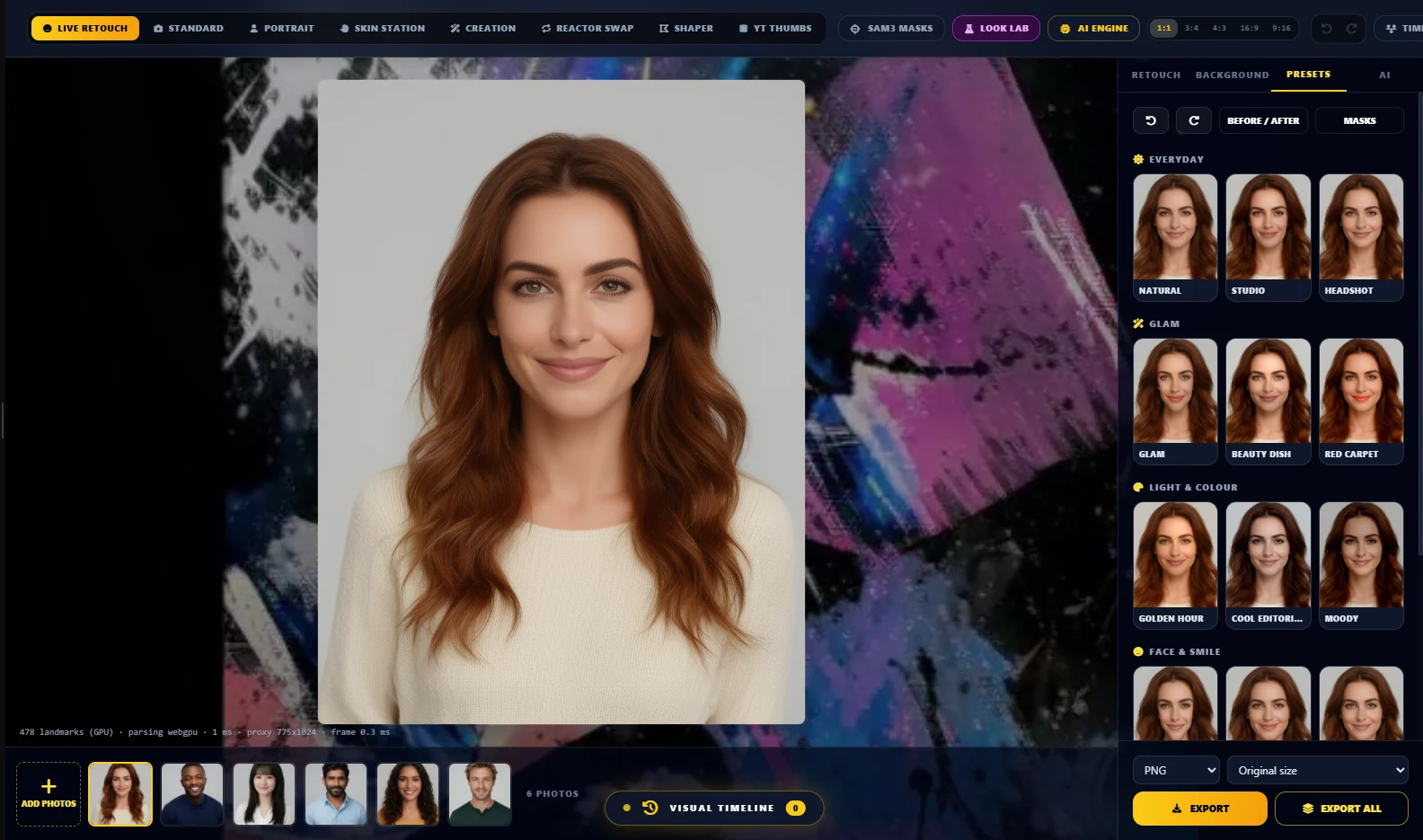

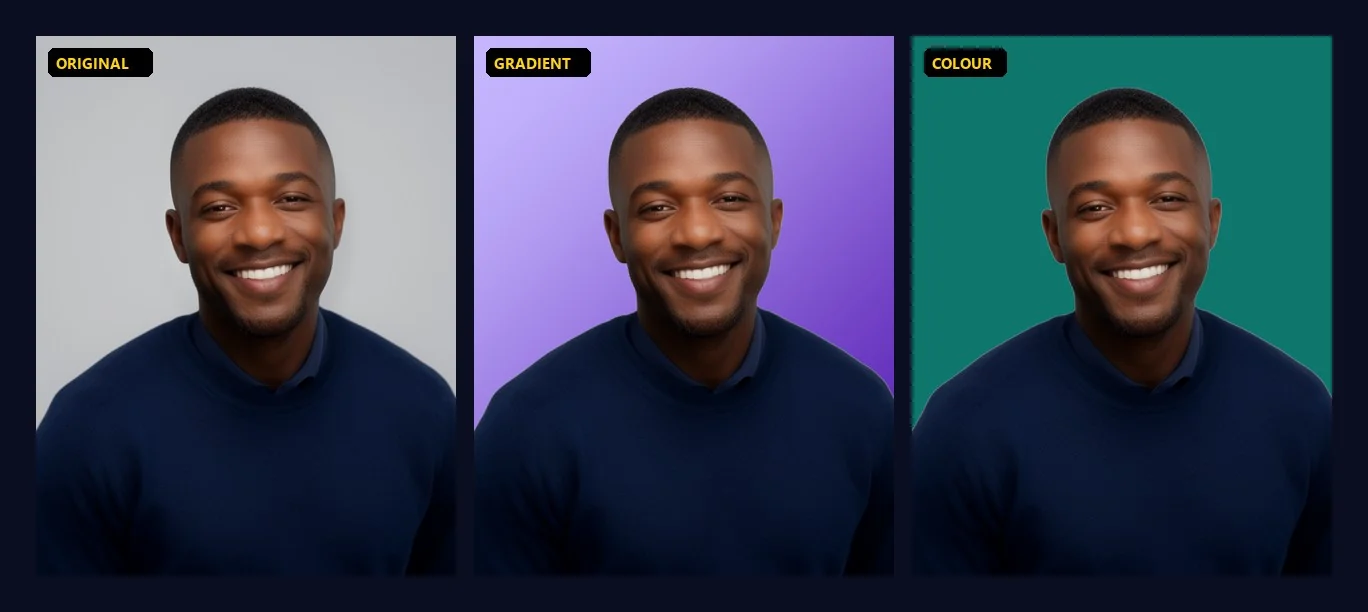
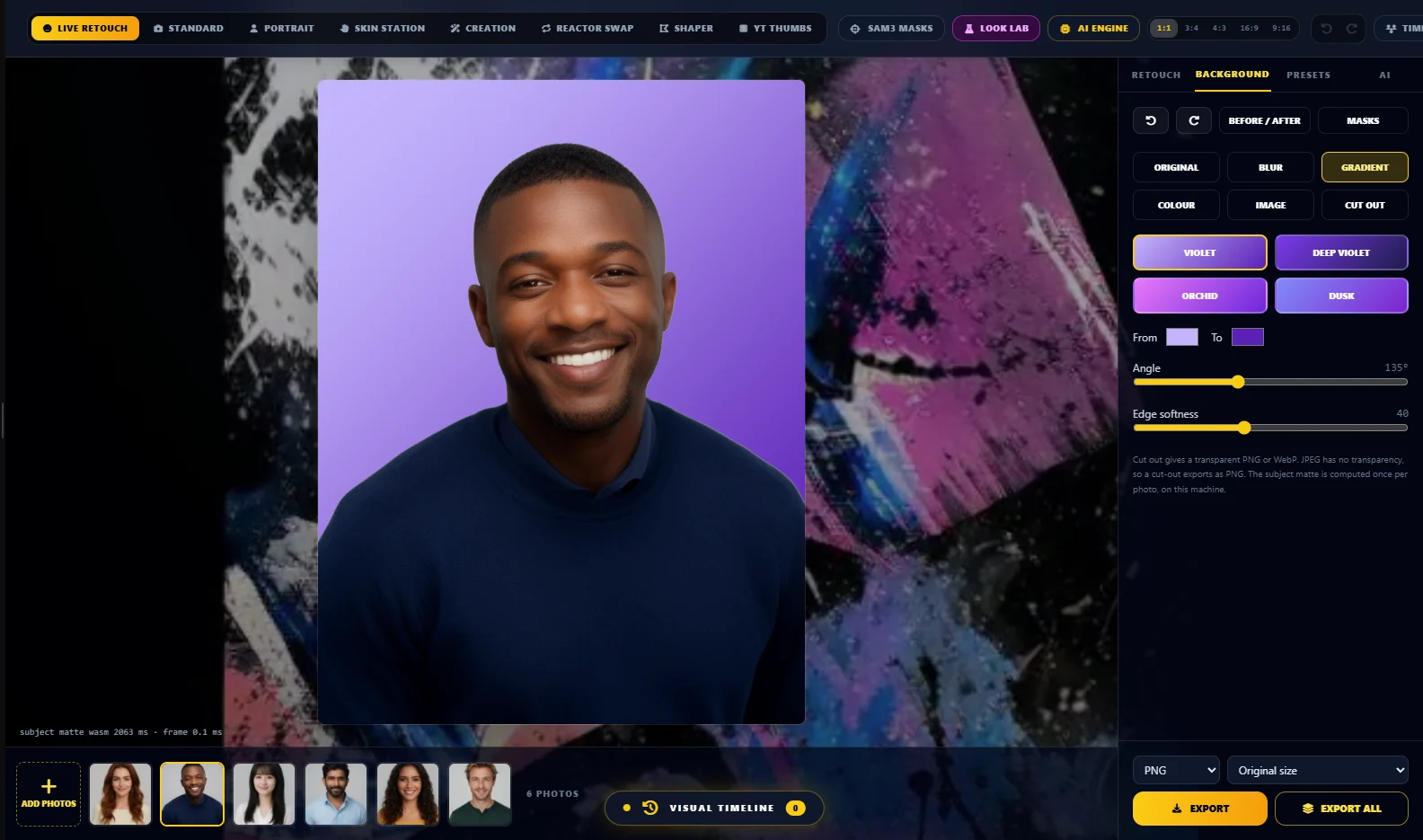
Retouch portraits live on your own machine, then apply the look to the whole shoot.
A portrait retouching studio that runs locally: no account, no cloud, no API key. Sliders move a WebGL2 renderer, so a preview re-renders in about a millisecond. Pick a look from the category preset gallery, fix the background, edit one photo and apply it to the whole folder. Face shaping follows the head pose, so a turned face is reshaped on the right side of the face, not flattened.
- Live retouch — skin smoothing with texture kept, blemish removal, even tone, eyes, lips, teeth, dark circles, face, jaw, chin, nose and smile shaping, hair colour, relight
- Preset gallery — twelve looks in four categories (Everyday, Glam, Light & colour, Face & smile), each previewed on your own photo
- Background tools — blur, violet or custom gradient, solid colour, your own image, or a transparent cut-out, matted locally by MODNet
- Batch — add a whole shoot, edit one photo, apply the look to all, export the folder
- Undo, redo, before and after, and export size, format and quality
- Optional heavy jobs through your own ComfyUI — upscale, generative relight, polish and face swap
Runs locally with no account or API key; the default build contains no Google SDK. The Gemini build is LoumiNova AI Gemini.
Coming soon
Nothing in this category has shipped yet. The Mac builds and the mobile apps are in progress; sign up on NeuroViolet to hear when they land.